On the mobile app, a session is automatically opened when the first meter reading of a site is saved.
A session is automatically opened when the user uploads an excel file with meter readings.
To open a session from the web portal:
From the main menu, click on the ‘+’ sign next to sessions, then click on open sessions.
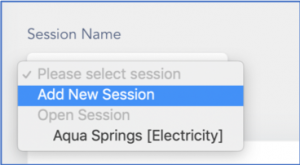
Click on the dropdown menu labelled Session Name.
Click on Add New Session.
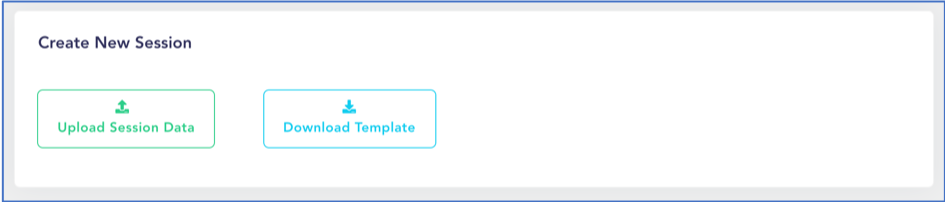
Click on Download Template to get the template to be used for your uploads. Fill up the downloaded file and save it anywhere on your computer. The template structure should not be modified.
Once the template is filled, click on Upload Session Data.
Select the site and meter type, then browse for the file. Once done, click on the green Upload button.
The upload will proceed, and an acknowledgement will be shown upon successful upload. In case of failure, the system will notify which line caused the problem and the whole file will be discarded. In this case, please repeat step 6 after correcting the invalid entry.
It is possible to merge data from both mobile & excel upload as required. In case of duplicate, the newest value will automatically overwrite the previous value.
This website uses cookies to improve your experience. We'll assume you're ok with this, but you can opt-out if you wish. Cookie settingsACCEPT
Privacy & Cookies Policy
Privacy Overview
This website uses cookies to improve your experience while you navigate through the website. Out of these cookies, the cookies that are categorized as necessary are stored on your browser as they are essential for the working of basic functionalities of the website. We also use third-party cookies that help us analyze and understand how you use this website. These cookies will be stored in your browser only with your consent. You also have the option to opt-out of these cookies. But opting out of some of these cookies may have an effect on your browsing experience.
Necessary cookies are absolutely essential for the website to function properly. This category only includes cookies that ensures basic functionalities and security features of the website. These cookies do not store any personal information.
Any cookies that may not be particularly necessary for the website to function and is used specifically to collect user personal data via analytics, ads, other embedded contents are termed as non-necessary cookies. It is mandatory to procure user consent prior to running these cookies on your website.